


Chipotle
4.767.55K Reviews
App Specs
- Version
- 11.19.1
- Updated On
- License
- Free
- Downloads
- 10,000,000+
- Developer
- Chipotle Mexican Grill
- Categories
- Food & Drink
- Platform
- Android, iOS
Screenshots
 Analysis by AppCompare
I think the Chipotle app works best when I already know what I want and value a predictable, low-friction way to order it. It brings the chain’s menu, pickup and delivery ordering, and repeat meals into one place, which can make a busy lunch easier to manage. It is a focused food-ordering app, not a general restaurant finder, so its usefulness depends on whether Chipotle is a place you choose often enough to make a dedicated app worthwhile.
A practical fit for regular orders
Chipotle Mexican Grill makes this free app for people who want to order its food on Android or iOS. It has been around since June 19, 2013, and the current version is 11.13.2. The app is rated for Everyone, and it has a 4.7 average from around 478,000 ratings, with over 10 million installs. Those figures suggest it has found a broad audience, though they do not tell me whether a particular restaurant will be convenient or whether a given order will suit your routine.
My clearest reason to use it is planning ahead. If I have a short lunch break, ordering before I leave can help me avoid spending that break deciding at the counter. I can take a moment to build a burrito or bowl, check the choices I have made, and send the order for pickup or delivery. That is a more useful advantage than simply having a restaurant menu on my phone: it shifts the decision-making out of the busiest part of the day.
Ordering Made Easy
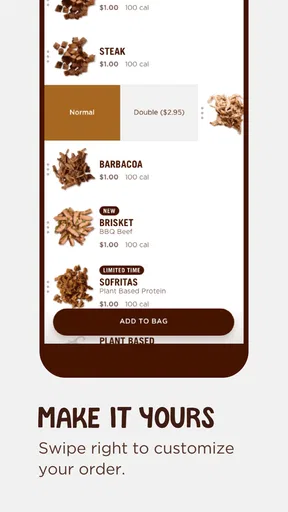
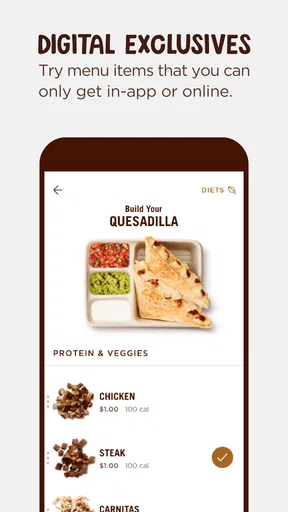
First off, the Chipotle app makes ordering your favorite burrito or bowl a breeze. You know those times when you’re in a rush, and standing in line feels like torture? This app lets you skip the queue by ordering ahead. You can customize your meal right down to the extra guac without any judgmental stares from the person behind the counter. Now, that’s what I call convenience!
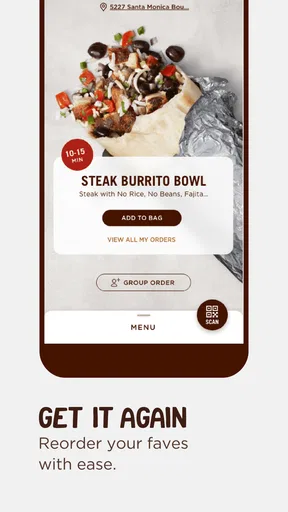
The interface is pretty user-friendly, too. Everything is laid out in a way that’s super easy to navigate. Even if you’re not tech-savvy, you can still order your meal without breaking a sweat. Plus, the app saves your past orders, so if you’re a creature of habit like me, you can reorder your usual with just a few taps.
Making customization work for you
Being able to choose ingredients at your own pace is handy, but it also changes how I approach an order. When I am trying a combination for the first time, I prefer to build it carefully rather than rush through a line and decide while people are waiting. I can pause to reconsider a choice and review the meal before committing. That makes the app especially helpful for anyone who wants to be deliberate about what goes into a bowl or burrito.
There is a trade-off: the app makes a complicated order easier to enter, but it cannot make a complicated order easier to remember. I find it useful to keep the choices simple enough that I can recognize my meal when I collect it. If you are ordering for several people, checking each person’s selections before checkout is a sensible last step; a saved favorite is convenient, but it can also make it easy to repeat an old choice when you meant to change it.
Worth Reading Before You Choose

EA SPORTS FC Mobile 26 Is a Bigger Football Game, but It Takes Time

Flipboard Shows What News Apps Must Do Beyond the Feed

Switching to Android Auto Means Rethinking Your Driving Routine

Google Calendar Makes a Crowded Week Easier to Manage

Ludo King Makes the Most of the Minutes Between Plans

Baby Panda World Brings Quick Play to Modern Phones, but Its Game Library Feels Busy
Planning around pickup and delivery
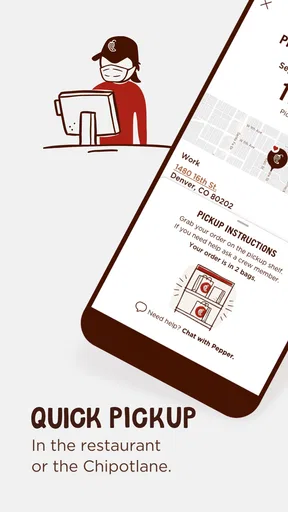
For pickup, I would place the order only after I have a realistic idea of when I can get to the restaurant. Ordering ahead is most valuable when it fits the trip I am already making, not when it adds a detour or leaves me waiting around. A useful everyday example is leaving work for lunch: I can decide on my meal before walking out, then use the pickup option instead of spending the first part of the break in line. The time saved depends on the restaurant and the moment, so I would still leave a little flexibility in the plan.
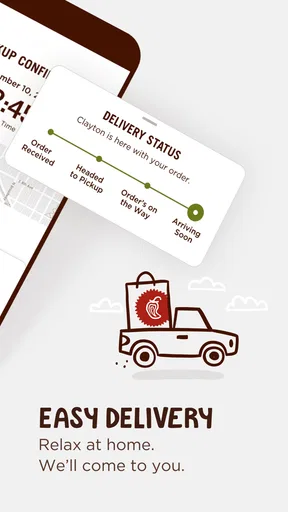
Delivery is a different convenience, not an automatic upgrade. It can help when I cannot leave home or work, while pickup makes more sense if I am already passing a restaurant and want more control over the trip. I would compare the expected effort and timing rather than assume one option is always faster. Either way, the app is most useful when I have settled on Chipotle; if I am still choosing between several nearby restaurants, a general delivery service or map is a better place to start.
Perks and Rewards
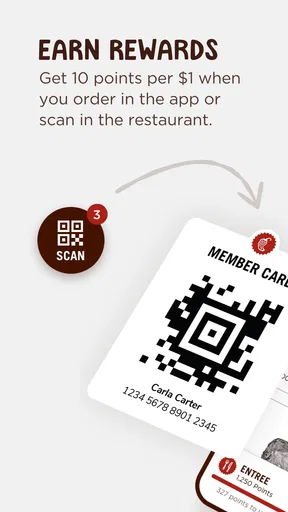
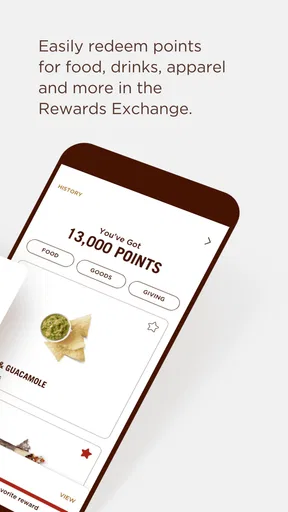
Let’s talk about the rewards system. Who doesn’t love getting a little something extra? With the app, you earn points for every dollar spent. Once you rack up enough points, you can redeem them for free food. It’s basically like getting paid to eat burritos, and I am here for it!
Chipotle also throws in some exclusive offers and promotions for app users, which is always a nice surprise. Every now and then, you might find a deal that makes your meal even more satisfying.
Getting value without chasing offers
I treat rewards as a modest bonus rather than the reason to place an order. If Chipotle is already what I want, points and occasional offers can make returning feel a little more rewarding. But I would not buy extra food just to pursue a redemption: the practical value depends on how often I genuinely eat there and whether an offer suits a meal I would have ordered anyway. That keeps the program useful without letting it dictate my lunch plans.
For an occasional customer, the simplest approach is to check the available offer while choosing a meal, then decide based on the food and the overall convenience. A promotion is only worthwhile if it matches what you want and the restaurant works for your day. Someone who prefers trying a different independent restaurant each time may get more use from a broader ordering platform than from collecting benefits tied to one chain.
Real-Time Updates
One of my favorite features is the real-time updates. Whether you’re waiting for delivery or picking up your order, the app keeps you in the loop. You’ll know exactly when your food is ready, so no more awkwardly hovering by the pickup area. It’s these little details that make the app a must-have for any Chipotle enthusiast.
Where the convenience has limits
Updates make waiting less uncertain, but I would treat them as guidance rather than a guarantee that the whole meal will fit neatly into a schedule. Restaurant pace, travel time, and the state of my own day still matter. I use a ready notice to decide when to head toward pickup, not as a reason to plan a meeting or commute with no spare time at all.
The other limitation is the app’s narrow focus. It is useful when I want Chipotle, but it does not help me compare the full range of nearby cuisines in the way a general restaurant or delivery app can. Nor does ordering on a screen replace the flexibility of talking through a request with staff if I have a question that needs a conversation. If my meal depends on clarifying an unusual detail, I would choose the ordering route that lets me resolve it confidently rather than assume the app will answer every question.
Who will get the most from it
I would recommend it most to people who already visit Chipotle, have a familiar order, or want to make a planned pickup part of a commute or lunch break. The saved-order convenience is particularly useful for a regular who wants the same meal without rebuilding it each time. It can also suit someone who likes to review ingredient choices privately and take their time before placing an order.
I would skip a dedicated install if Chipotle is only an occasional choice, if I enjoy browsing lots of restaurants before deciding, or if a specific visit is mainly about asking questions in person. The app is not a substitute for a broader food guide, and a pickup order is not automatically the best option when the restaurant is out of the way. For those situations, choosing a nearby alternative or ordering in person may be simpler.
Final Thoughts
In a nutshell, the Chipotle app is a game-changer for anyone who loves their burritos as much as I do. From its easy-to-use interface to the rewards and real-time updates, it’s designed to make your Chipotle experience as seamless as possible. So, if you haven’t already, give it a whirl and see how it fits into your routine. Just be warned—you might find yourself eating a lot more burritos!
My recommendation is more specific: install it if you expect to order from Chipotle often enough to benefit from saved meals, advance ordering, and the rewards system. If you are comparing restaurants or only want a one-off meal, a general-purpose option may be more useful. For my own routine, it earns its place when I have already chosen the restaurant and want to spend less time ordering, while keeping enough room in my schedule for the realities of pickup or delivery.
Pros
- User-friendly interface for quick orders.
- Customizable menu options available.
- Seamless integration with rewards program.
- Real-time order tracking feature.
- Frequent promotions and discounts.
Cons
- Limited payment methods available.
- Occasional app crashes reported.
- No detailed nutritional information.
- Geolocation can be inaccurate.
- Push notifications can be excessive.
FAQs for Chipotle
What features does the Chipotle app offer?
The Chipotle app provides a seamless ordering experience with features like customizable menu options, easy payment methods, and a rewards program. Users can quickly find nearby locations, save their favorite orders, and track delivery or pickup status. It also offers nutritional information and allergen details for a more informed dining choice.
Is the Chipotle app user-friendly for new users?
Yes, the Chipotle app is designed with an intuitive interface that makes navigation easy for new users. With clear menu categories, a straightforward ordering process, and helpful prompts, even first-time users can place an order without confusion. The app also includes a helpful FAQ section and customer support for any questions.
What are the benefits of using the Chipotle rewards program?
The Chipotle rewards program offers users points for every dollar spent, which can be redeemed for free menu items. Additionally, the app provides exclusive offers and early access to new menu items or promotions. Members also receive birthday rewards and personalized offers based on their ordering habits, enhancing their overall experience.
Does the Chipotle app support multiple payment options?
Yes, the Chipotle app supports various payment methods, including credit and debit cards, Apple Pay, Google Pay, and Chipotle gift cards. This flexibility ensures that users can choose their preferred method for a quick and secure checkout process. The app also allows users to save payment details for future orders.
How reliable is the Chipotle app for delivery and pickup?
The Chipotle app provides reliable delivery and pickup options, allowing users to schedule orders at their convenience. Real-time tracking updates keep users informed of their order status. While delivery times may vary based on location and demand, the app ensures communication and efficiency, aiming to offer a smooth experience.


